
Rabbit
A starting point for general function protection. Basic, Pro and Ultimate include the full engine; Demo offers basic Rabbit virtualization.
Choose a VM per function, compose protection layers, and build a repeatable release workflow.
Dhaedalida protects native Windows 32-bit and 64-bit EXEs and DLLs (PE32 and PE32+). Use it to protect selected functions, encrypt eligible strings, and optionally pack the image. Managed .NET/IL is outside its scope.
The desktop application and CLI use the same protection engine. Basic, Pro and Ultimate offer Rabbit, Bear, T-Rex and Wolf per function; Pro adds the packer suite and callable SDK services. The free Demo offers basic Rabbit virtualization.
T-Rex output requires an AVX2-capable processor wherever it runs. Rabbit and Bear do not add that requirement. Compatibility varies by function and engine. The protection result tells you which functions were successfully protected.
Choose sensitive functions such as license checks, calculations and business logic. Dhaedalida transforms them with the selected virtual machine to make analysis and modification harder. Other functions can remain native. You can use different VMs for different functions in the same program.
The optional Pro packer compresses and protects your EXE or DLL. Use it alone or together with function virtualization, then choose the additional defenses appropriate for your application.
Encrypt Strings helps conceal supported text used by protected functions. Strings shared with unprotected parts of your application may remain unchanged to preserve compatibility.
Protection raises the cost of reverse engineering; it does not make software unbreakable. Always test the protected build before distributing it.
Unzip the package and run Dhaedalida.exe. Keep the adjacent dhaedalida-cli.exe, Qt runtime and SDK folder together. Basic, Pro and Ultimate require a valid lic.dhae beside the executables or in %APPDATA%\Dhaedalida. Demo needs no account or license file and does not expire.
Use Open file... to select an EXE or DLL. The sidebar contains Functions, Virtualization, Virtual Machines, Packer, Anti-Analysis, Misc, Output & Log and License. Eligible licensed builds also have an Update page. The theme selector switches between Light and Dark.
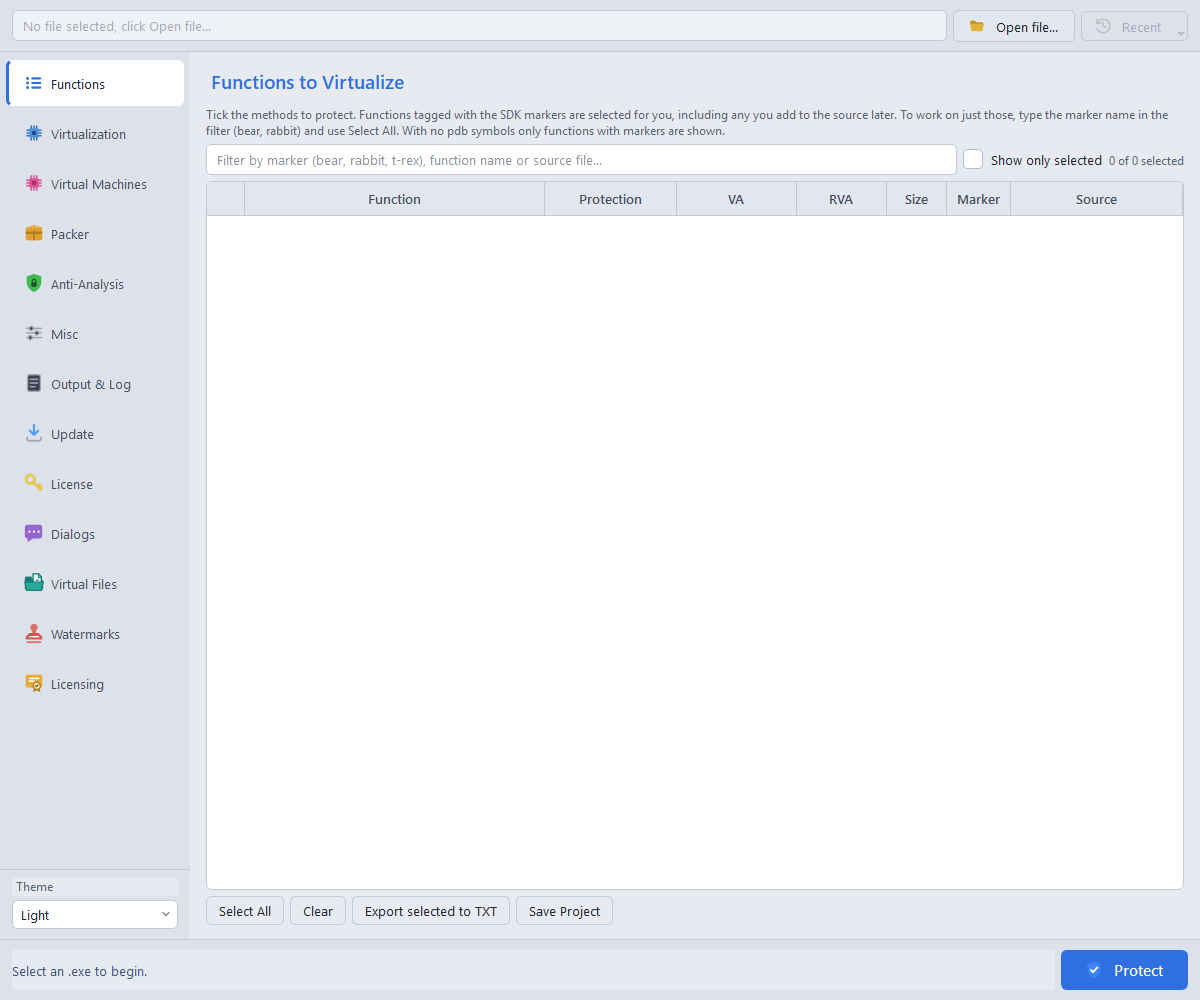
The default output is app.protected.exe or app.protected.dll. Keep input and output separate. Check the requested and protected function counts, any refusal reasons, and the output file; a process exit alone is not enough to confirm full protection.
A matching PDB provides function names and source information. SDK markers help discover functions without symbols. Availability can vary by target, so review discovery warnings and use a matching PDB when possible.
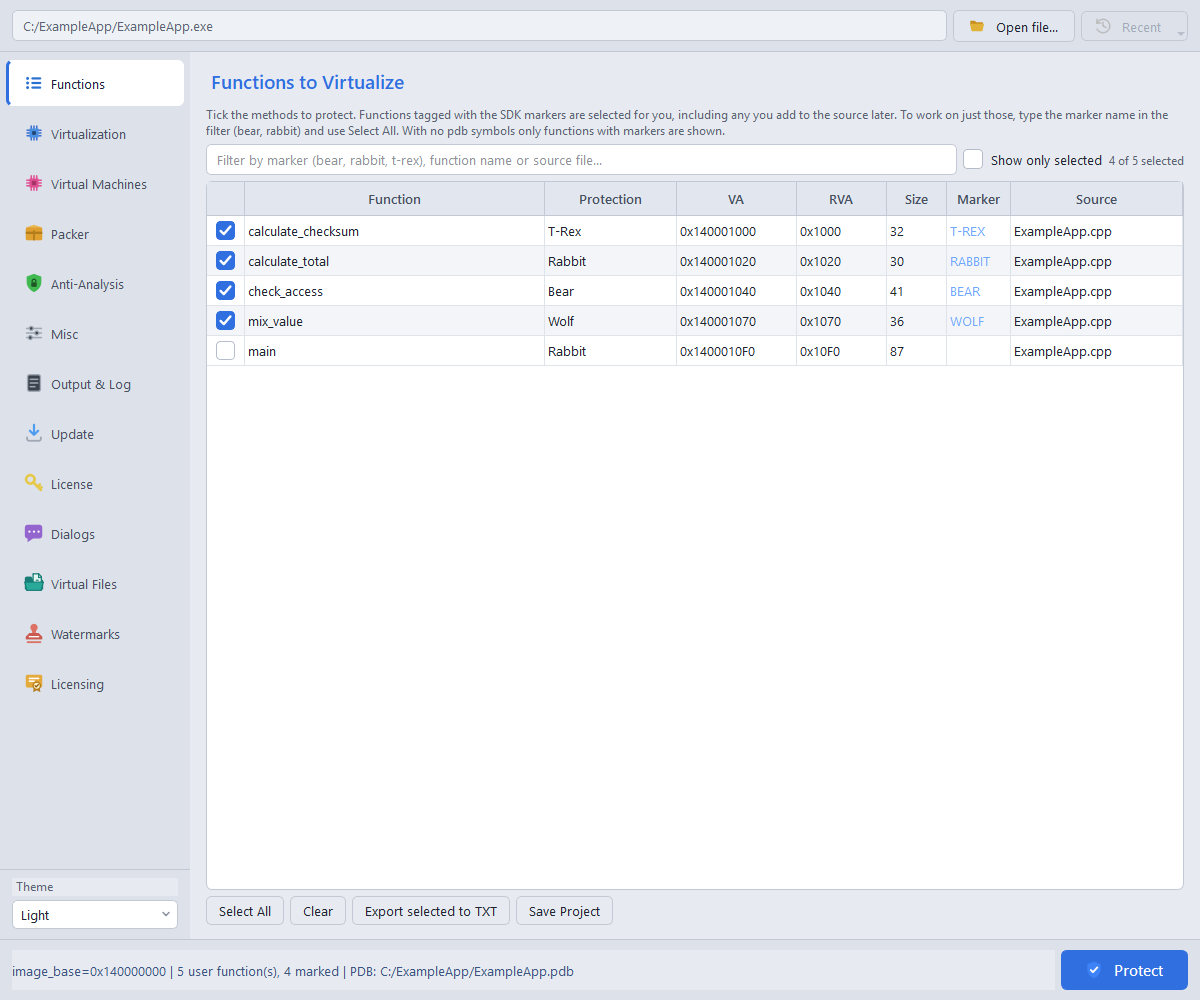
Use a function's Protection cell or the context menu to choose Auto, Rabbit, Bear, T-Rex or Wolf. Auto follows the supported marker choice, otherwise Rabbit. Edition restrictions and effective rerouting are shown in the table. A function carrying conflicting mode-marker pairs is refused.
Filter by name or source path, or enable Show only selected. Select All and Clear affect visible rows. Protect still includes every checked row, including checked rows hidden by a filter. Highlighted rows are the target for context-menu bulk actions and copying.
Ctrl+C copies the current field; Ctrl+Shift+C copies whole selected rows. Export selected to TXT provides address lists for CLI workflows. A sibling .dae project stores selections, modes, filters, output and options; use Save Project and Recent to reuse it. Open projects containing T-Rex with a current version of Dhaedalida.
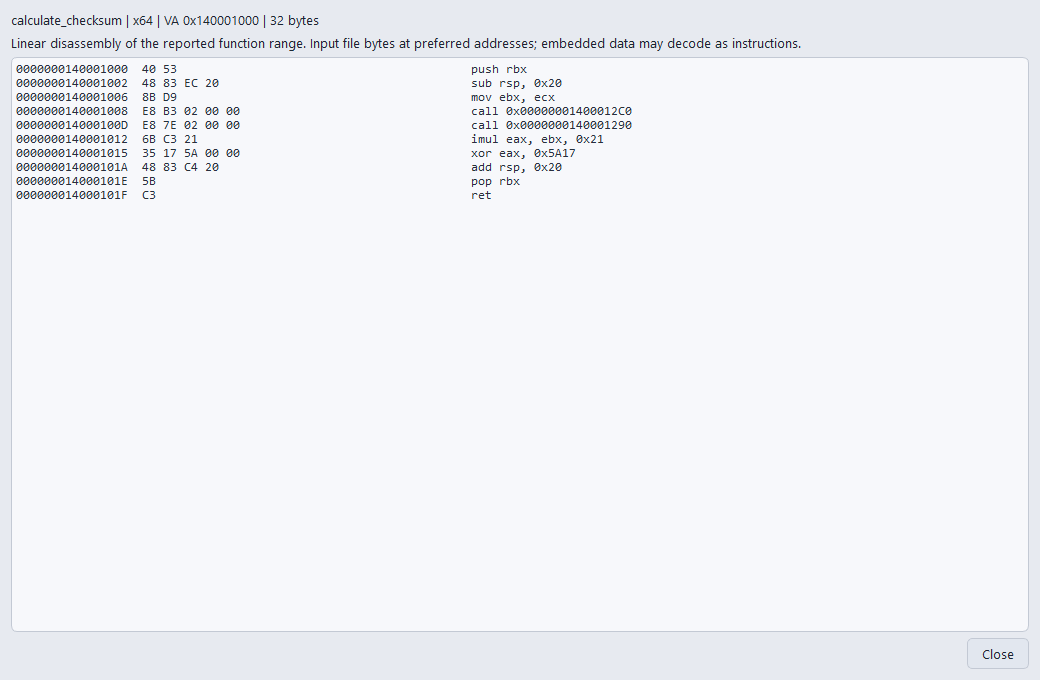
Right-click a function and choose Show Disassembly to inspect the input bytes, preferred virtual addresses and Intel-syntax instructions. The viewer is read-only and supports copying. The viewer labels any incomplete or estimated listing.
Drag sidebar buttons or use their right-click menu to rearrange them. The order is remembered across projects; Restore default order resets it. In Recent, remove an individual entry without deleting its project file. Light remains the default theme.
Markers select the whole enclosing function, not just the statements between two calls. Keep the marker implementation in the build and follow the shipped SDK instructions for your compiler. Bindings are available for C, C++, Rust, Go, Delphi/Object Pascal, D, Zig, Nim and assembly.
| Mode | Marker pair | Availability |
|---|---|---|
| Rabbit | RabbitStart() / RabbitEnd() | Basic, Pro, Ultimate and basic Demo virtualization |
| Bear | BearStart() / BearEnd() | Basic, Pro and Ultimate |
| Wolf | WolfStart() / WolfEnd() | Basic, Pro and Ultimate; SSE2 |
| T-Rex | TRexStart() / TRexEnd() | Basic, Pro and Ultimate; AVX2 required at runtime |
#include "dhae_sdk.h"

__declspec(noinline) unsigned protected_calculation(unsigned value) {
    TRexStart();
    unsigned result = (value * 33u) ^ 0x5A17u;
    TRexEnd();
    return result;
}
Use one mode pair per function. Demo does not provide Bear, T-Rex or Wolf; the GUI reports Rabbit rerouting for unavailable choices, while explicit CLI requests are refused.
DhaedalidaIsDebuggerPresent() returns a debugger verdict, and DhaedalidaIsImagePatched() checks covered executable image bytes for modification. These are services, not function-selection markers. Pro and Ultimate replace their SDK stubs during protection without a separate flag or packer requirement. Your application chooses what to do with the result.
The unprotected stubs return zero, so test the protected output. Basic and Demo reject actual service-marker calls. These checks help your application respond to detected problems; they do not guarantee that every modification or debugger will be detected.
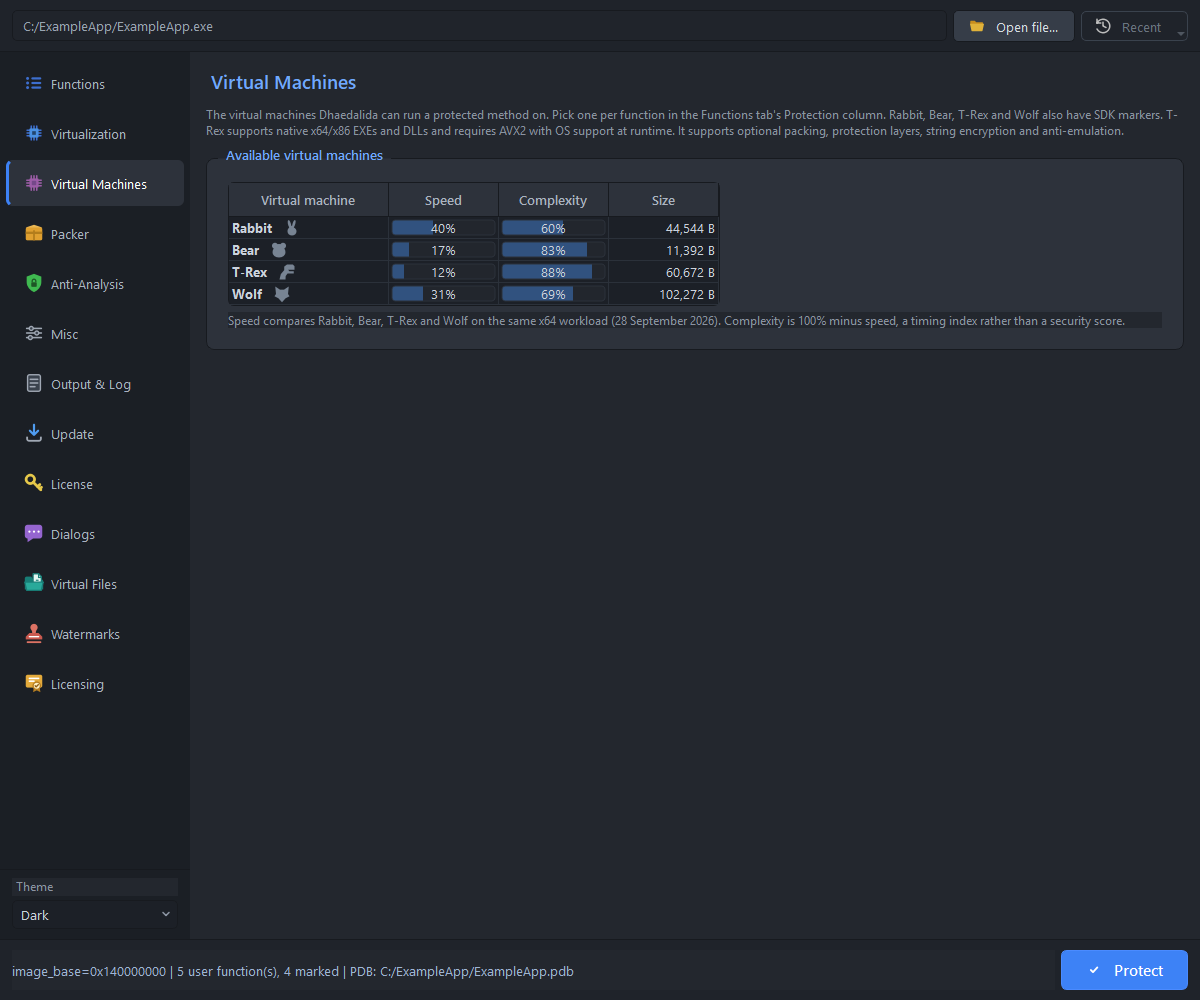
A starting point for general function protection. Basic, Pro and Ultimate include the full engine; Demo offers basic Rabbit virtualization.
An alternative engine for sensitive functions. Available in Basic, Pro and Ultimate. Compare its results with Rabbit on your own application.
An SSE2-based engine for native x86 and x64 functions. Supports integer operations and supported x64 floating-point and exception-handling code. It does not require AVX2. Test each selected function; exception handling combined with encrypted method strings is outside the validated contract.
An AVX2-based VM in Basic, Pro and Ultimate. Select it per function when your deployment supports AVX2.
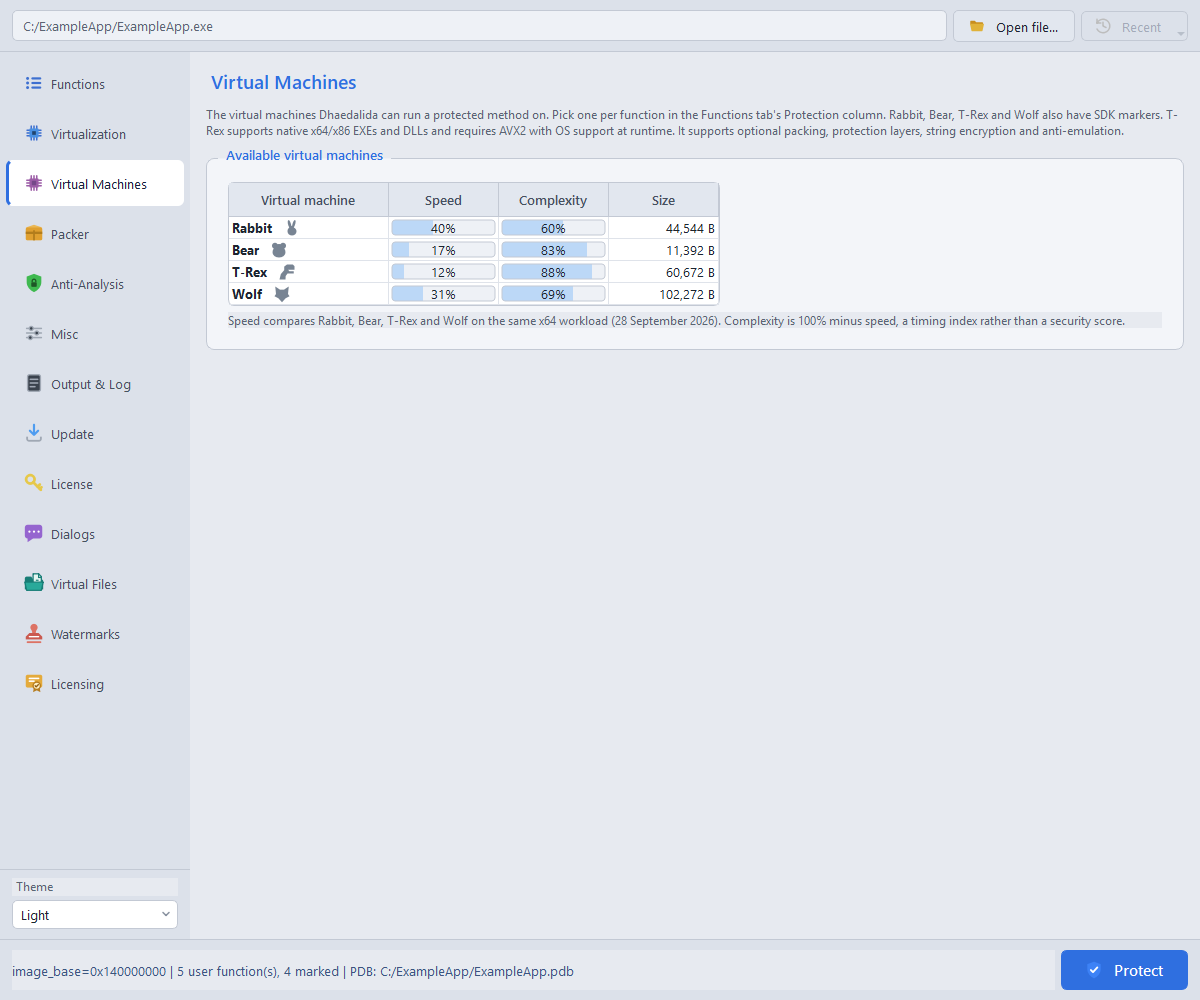
All four VMs support native 32-bit and 64-bit EXEs and DLLs. Choose the engine in each function's Protection cell; the catalog is a comparison view, not a selection control. Its ratings are a guide for the measured example workload, not a promise of performance or security for every application.
Every computer running T-Rex-protected functions must support AVX2. T-Rex supports optional string encryption and anti-emulation. Pro can also combine it with packing and the supported packer defenses.
Function compatibility depends on the code and target architecture. If a function cannot be protected, review the reported reason and try another VM where appropriate. Test the result on the minimum hardware and Windows version you support.
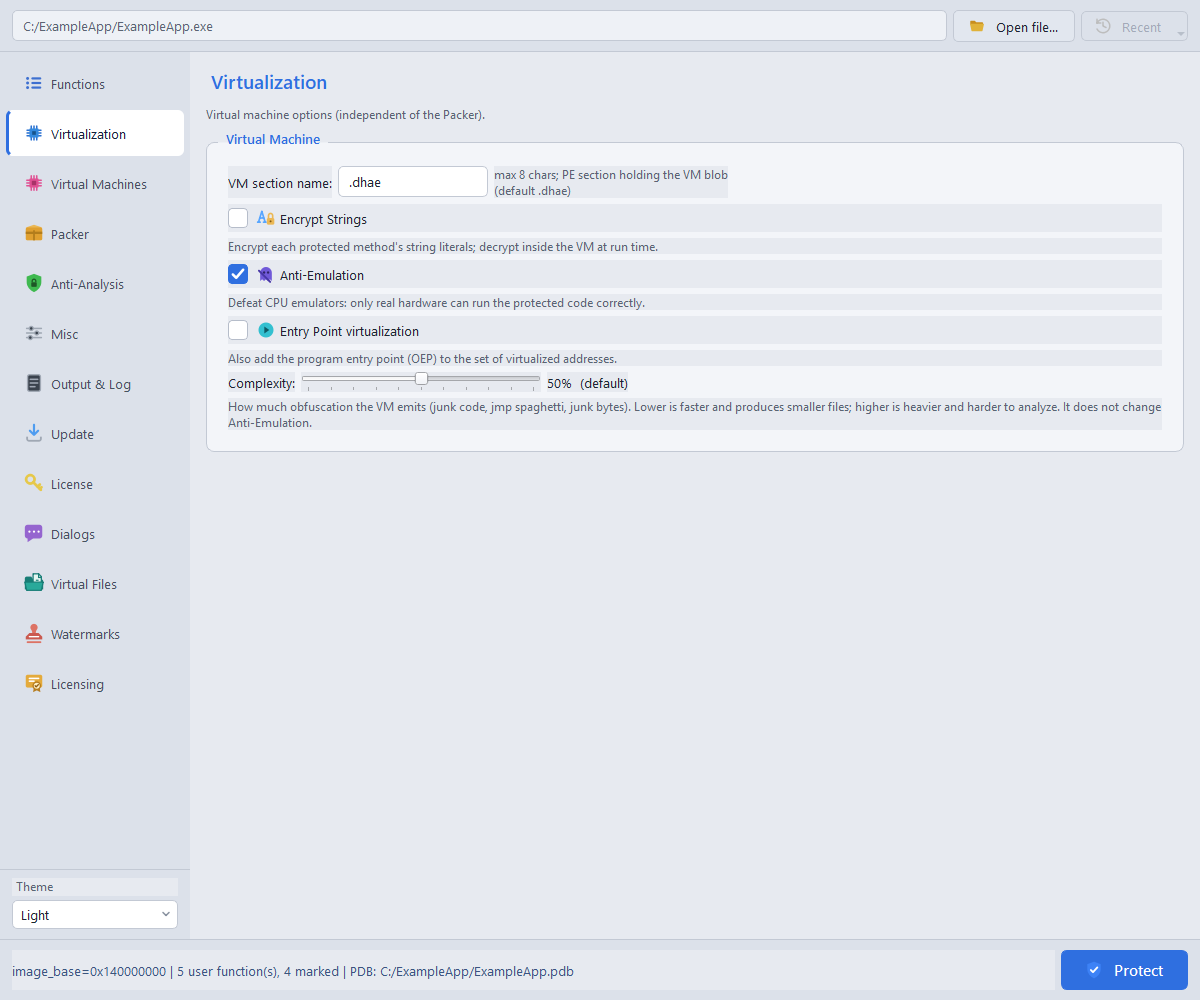
The VM section name defaults to .dhae; most users can leave it unchanged. Encrypt Strings protects supported text used by your selected functions.
Anti-Emulation adds resistance to tools that attempt to imitate program execution for analysis. It is available in Basic, Pro and Ultimate for Rabbit, Bear, T-Rex and Wolf on both target architectures.
The CLI leaves it off unless requested; the GUI selects it for new projects, so review the checkbox before protecting. It does not require the packer for function protection. Anti-Emulation and Anti-VM are different options: the former resists emulated analysis, while the latter checks for virtual-machine environments. Enable it when it fits your deployment and test your protected application.
Adds the program's startup code to the protection request. The Demo manages its own startup protection for the Demo notice.
Adjusts the amount of applicable VM obfuscation from 0 to 100; the default is 50. Higher settings can add processing time and output size. This control does not change T-Rex. Compare the output and runtime of your own program before choosing a value.
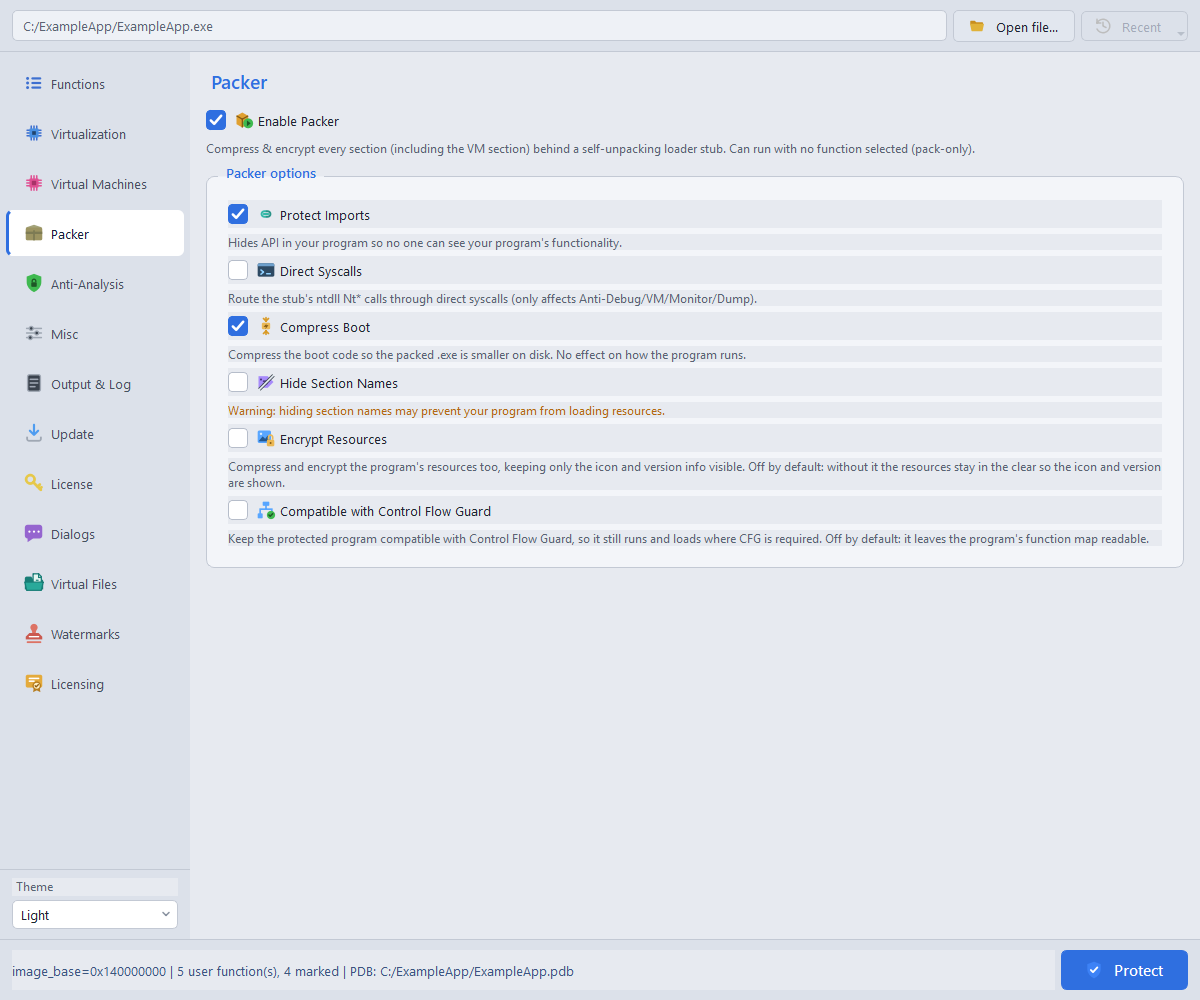
The Pro edition adds packing for native x86/x64 EXEs and DLLs, with or without function virtualization. Enable Packer first to use the related options.
| Packer option | Purpose |
|---|---|
| Protect Imports | Protects application import references. |
| Direct Syscalls | Uses supported lower-level loader paths; behavior depends on host and target bitness. |
| Compress Boot | Compresses the loader stage; protected output requires Windows 8 or later. |
| Hide Section Names | Clears section labels when packing. Off by default; section-name-dependent resource loading can be affected. |
| Encrypt and compress resources | Packages eligible resources while retaining the loader-visible subset. |
| Preserve Control Flow Guard | Keeps supported Windows Control Flow Guard protection enabled for compatible inputs. |
| Layer | Scope |
|---|---|
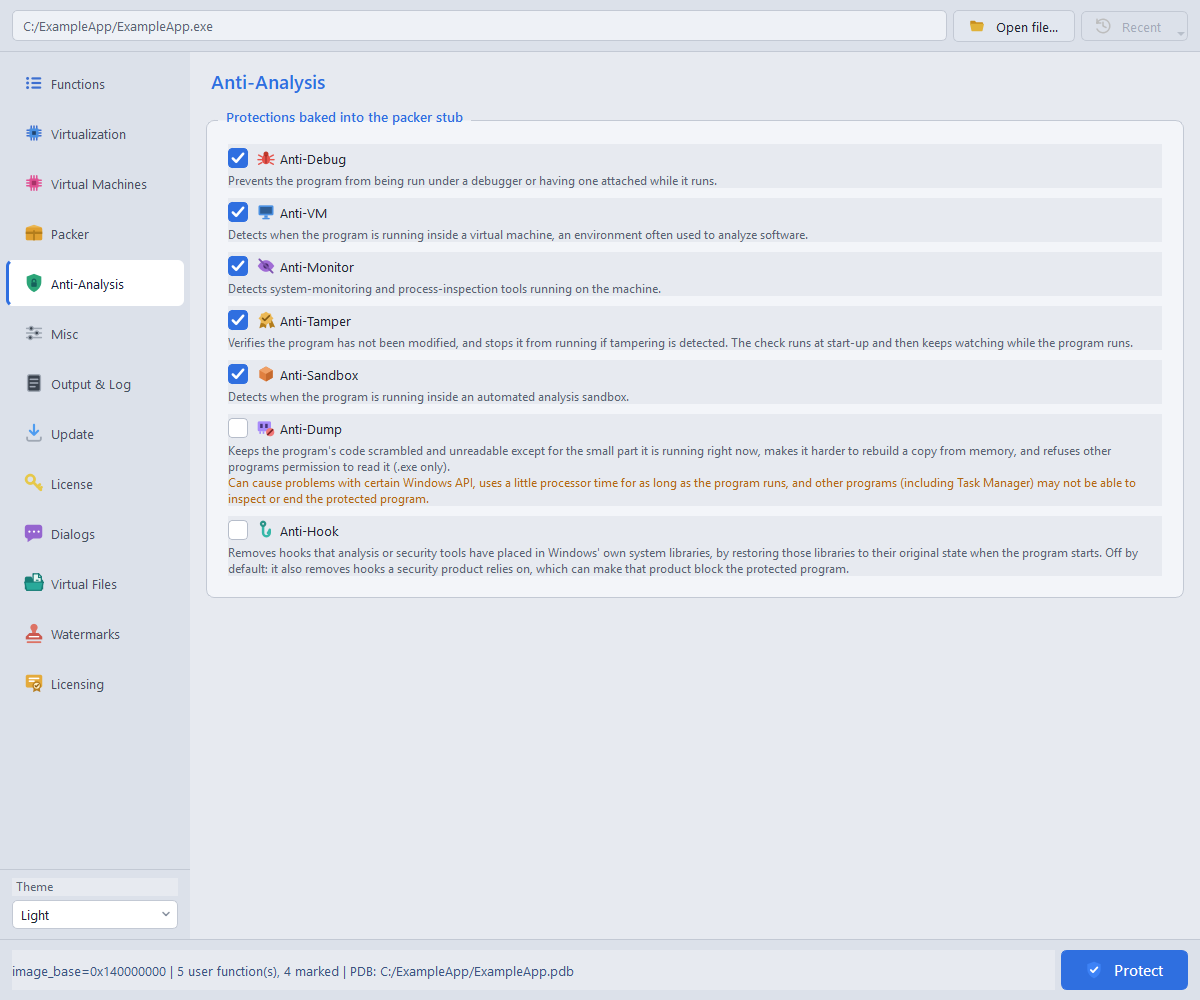
| Anti-Debug | Debugger checks at startup; packed EXEs also support ongoing monitoring. |
| Anti-VM | Checks for supported virtualization and guest-environment signals. |
| Anti-Monitor | Checks for supported monitoring and analysis-tool signals. |
| Anti-Tamper | Checks protected integrity; packed EXEs add lifetime guards. |
| Anti-Sandbox | Checks for supported sandbox/module and Wine signals. |
| Anti-Dump | Hinders memory reconstruction. Available defenses differ between EXEs and DLLs. |
| Anti-Hook | Helps resist interference from hooked system functions in packed EXEs. Off by default; it has no startup effect for packed DLLs. |
These layers require packing. DLLs use startup checks; ongoing monitoring differs from EXE protection. Anti-Dump can affect GUI or resource-loading applications; Anti-Hook can interact with security software hooks. Choose layers for your application and test the actual deployment profile. Anti-Emulation is configured separately on the Virtualization page.
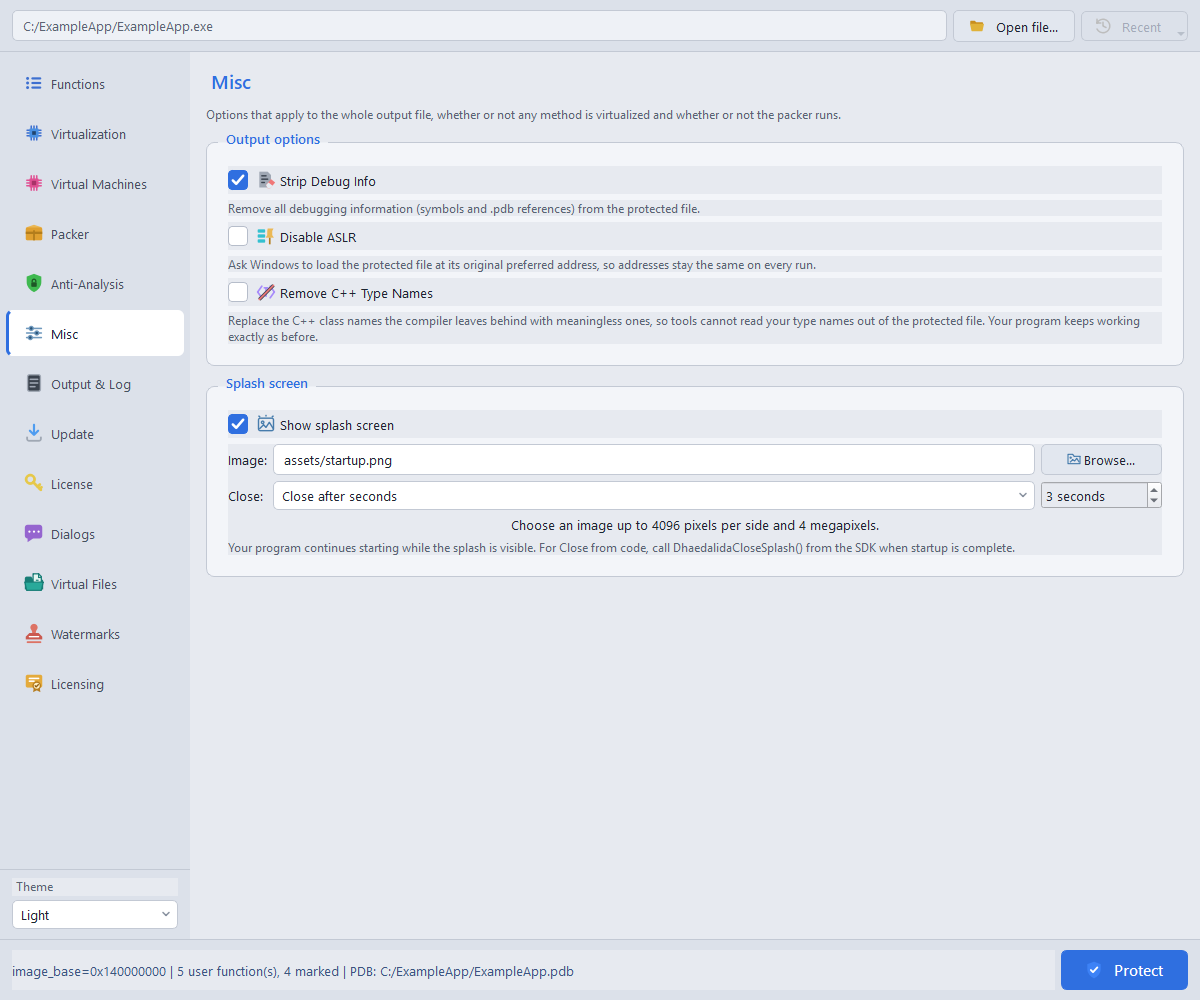
Strip Debug Info removes embedded debug information and PDB paths from the protected file. Remove C++ type names reduces readable type-name information; test applications that rely on those names or share C++ types across modules.
Disable ASLR is a compatibility option. Leave it off unless your application requires it; it can affect the availability of Control Flow Guard protection.
Output & Log shows the output destination and protection results. You can copy or save the log for troubleshooting. Review warnings, failures and the protected-function count before using the output.
Pro and Ultimate, with the Packer. Bundle read-only data files and supported native DLLs inside your protected x86 or x64 EXE. Files and virtual paths are compressed and encrypted, then restored in memory without extraction to disk.
data\config.json. Adding files enables the Packer.Unchecked entries stay in the project for later builds. Virtual paths must be unique and relative, without parent-directory components. Writes are unsupported. Directory enumeration, asynchronous file access and native file APIs are outside the supported file interface.
The archive host must be an EXE. Embedded DLLs must match its bitness; managed DLLs, static TLS and TLS callbacks are unsupported. Some x86 DLLs need valid SafeSEH metadata. Test your library loading and exception handling before distribution.
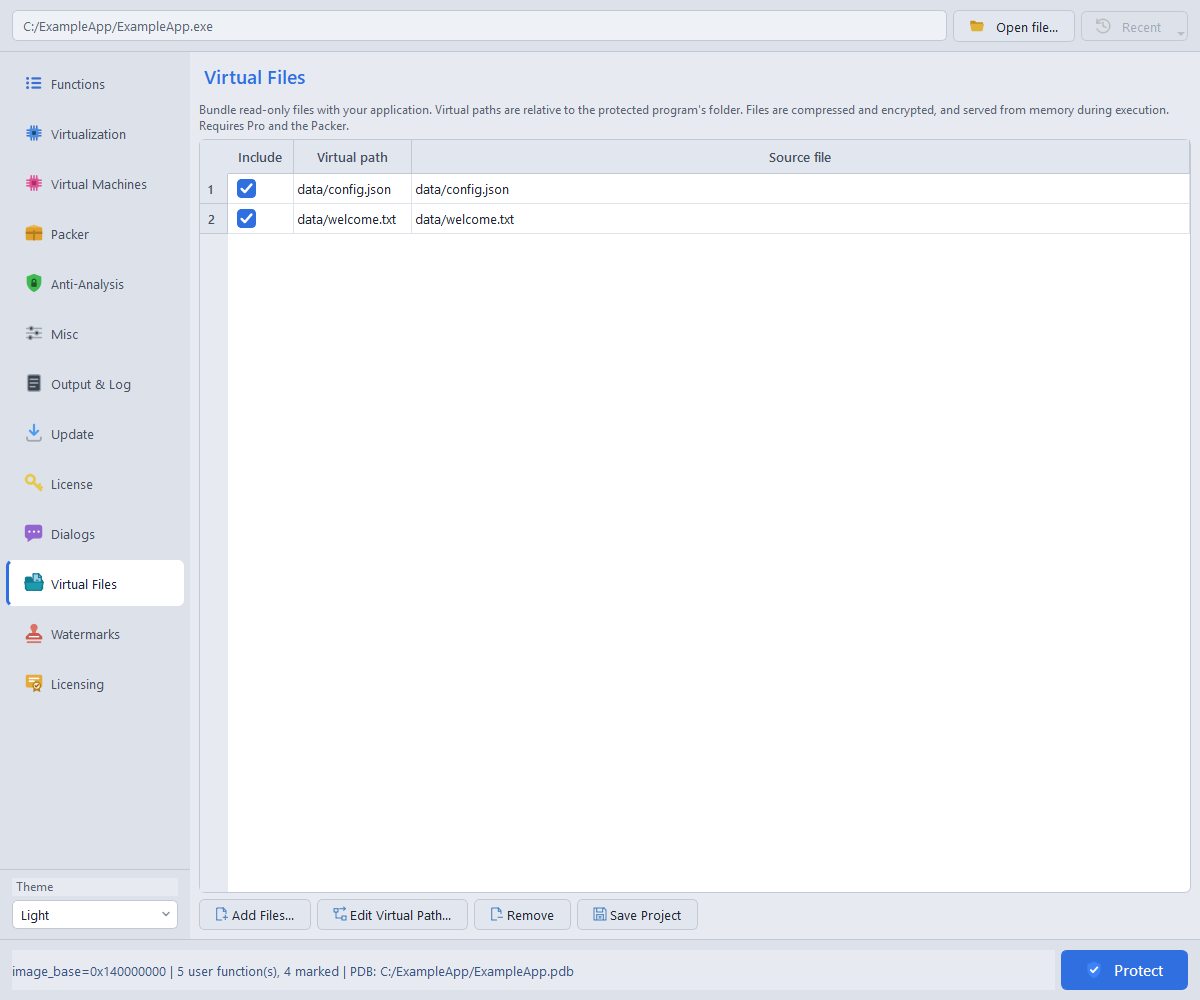
dhaedalida-cli app.exe --packer --virtual-file data\config.json data\config.json
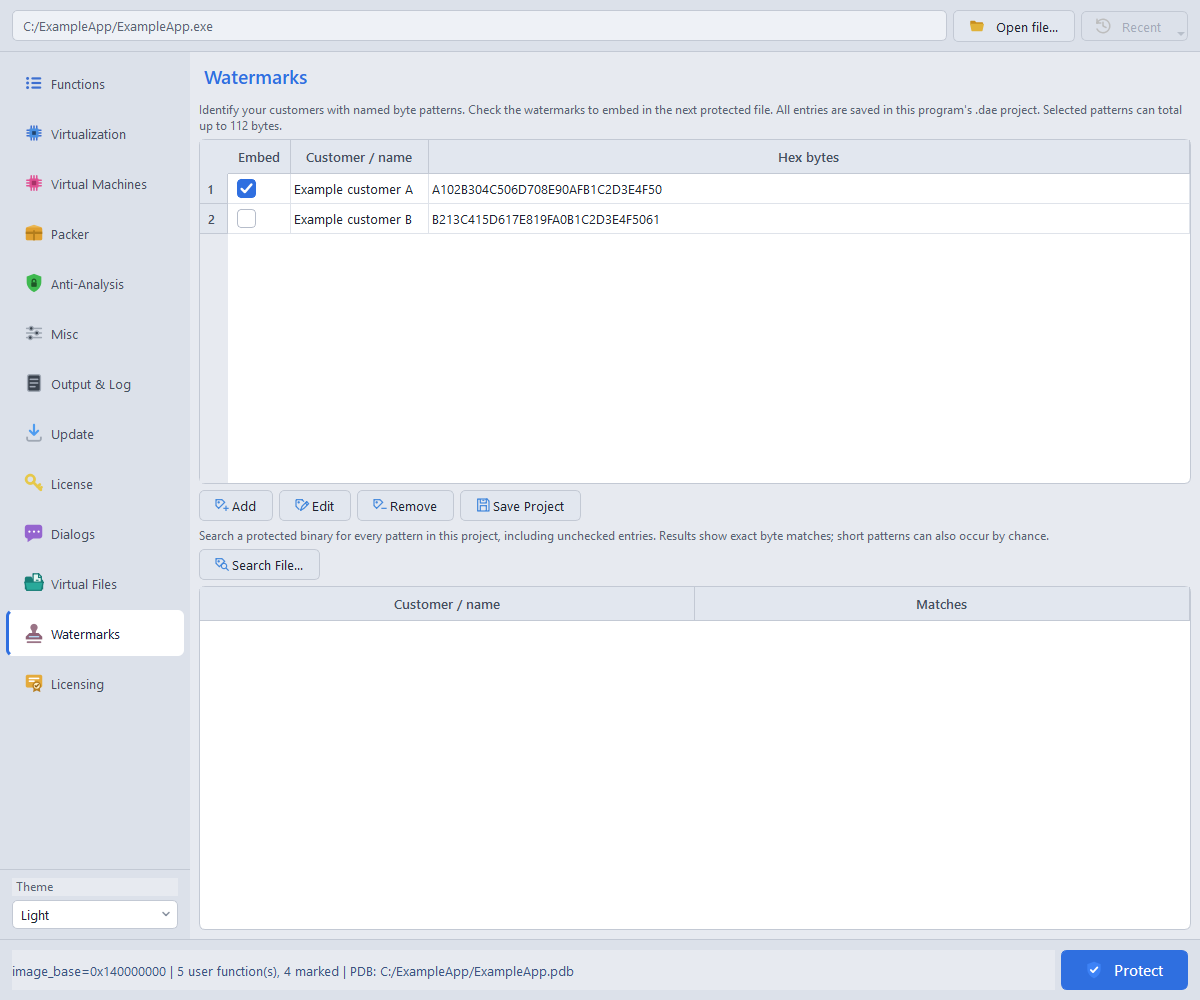
Basic, Pro and Ultimate. Give each recipient a named byte pattern and embed it in their protected build. The Watermarks page keeps your customer-pattern list in the saved project.
The default random pattern is 16 bytes. Each pattern can contain 1–64 bytes; selected patterns may total 112 bytes. Only the bytes are embedded, not the customer names. Keep a backup of your project to identify older builds. Short patterns may match accidentally; a match is an attribution aid, not cryptographic proof.
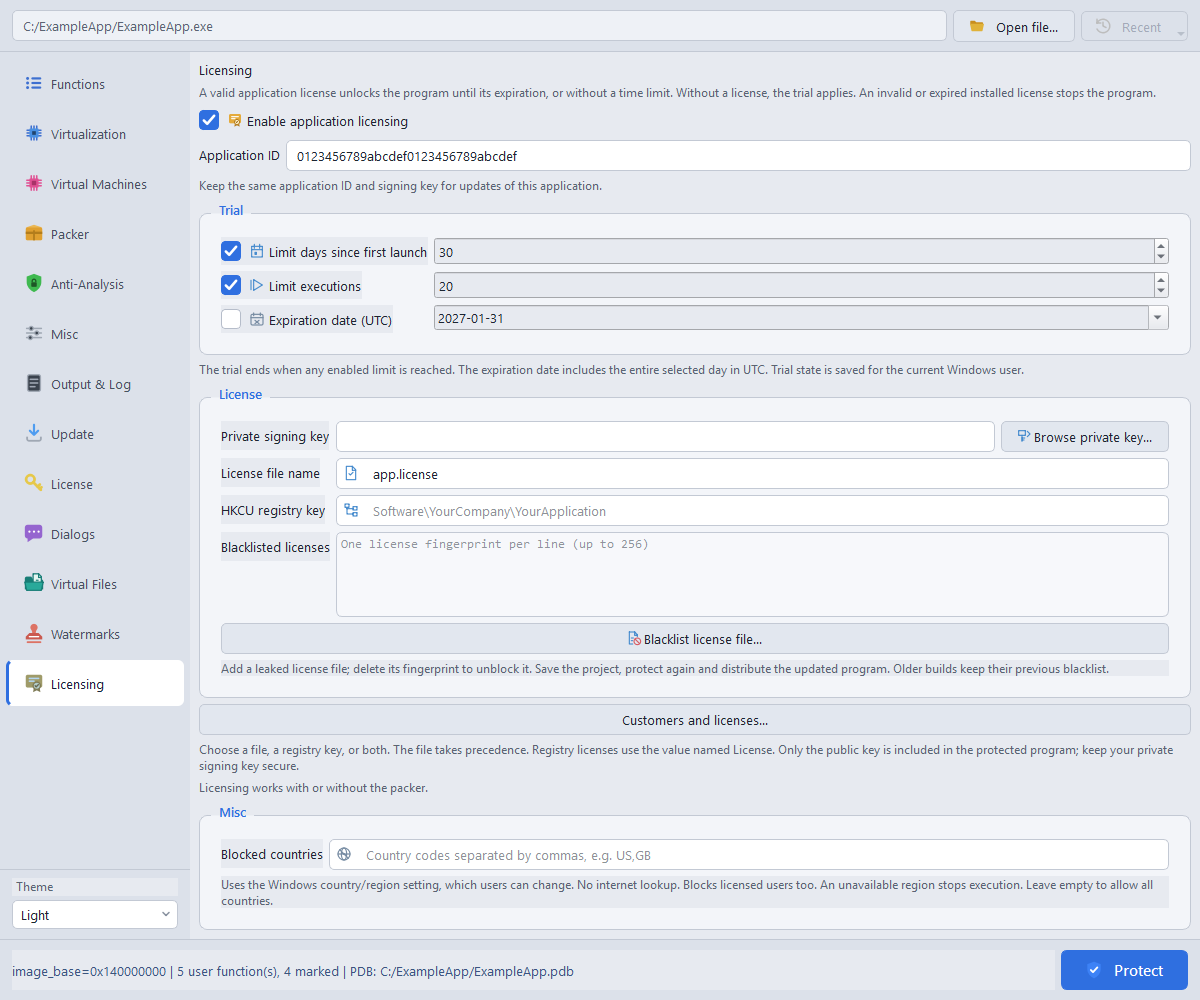
Ultimate only. Add offline trials and signed customer licenses to native x86 or x64 EXEs and DLLs. Application licensing does not require the Packer. These are licenses for your application, separate from your license to use Dhaedalida.
app.license.License files are located relative to the protected EXE or DLL. A valid license bypasses trial limits until its own expiration, or indefinitely for an unlimited license. An invalid or expired installed license stops startup. Limits are checked on launch, and dates include the selected UTC day. A licensing failure in a protected DLL also stops its host process.
Open Customers and licenses, enter the customer details and save the record. Choose a one-year, two-year, unlimited or custom expiration, select the application signing key, then generate the license for delivery. Additional information is for your private notes and is not included in issued licenses.
Optionally lock the license to a Machine ID using any combination of CPU, BIOS, MAC and HDD. Obtain the ID with the native SDK using the same component selection. Changes to selected hardware may require a replacement license.
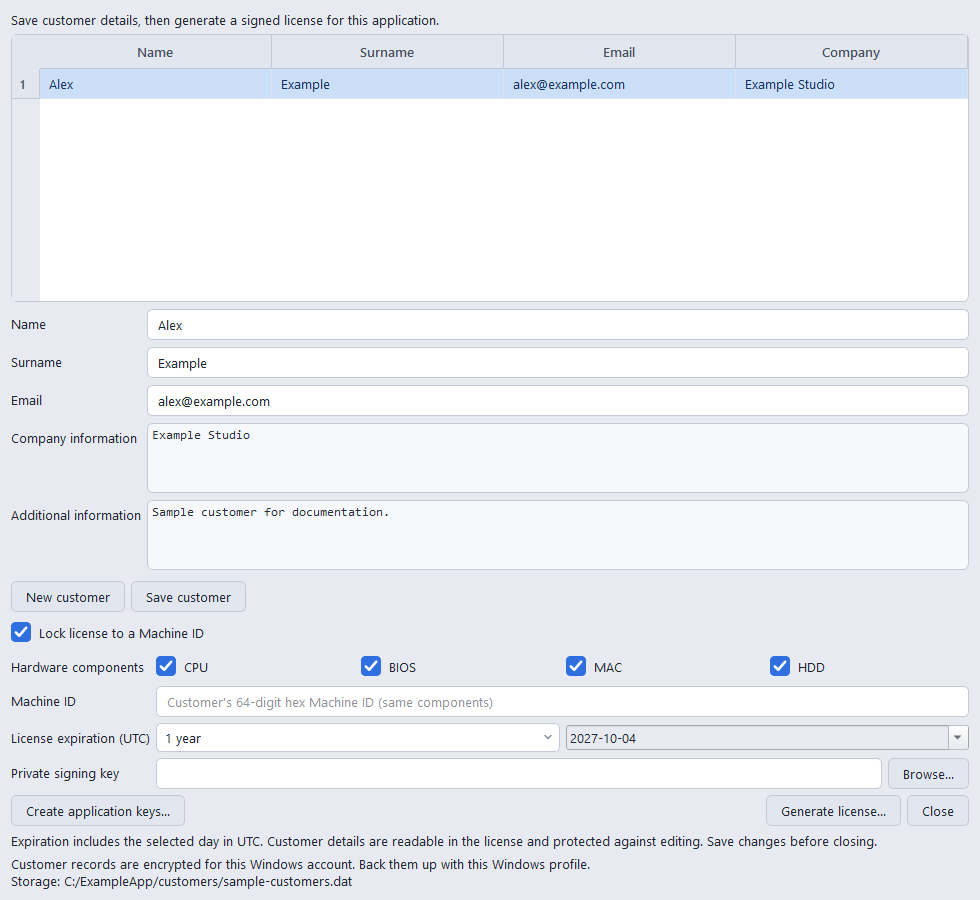
Customer records and private keys are encrypted for the issuing Windows account. Back them up together with that Windows profile’s recovery material. Customer details in an issued license remain readable; its signature protects them against editing. The private signing key is never embedded in your application.
Add a leaked license to the blacklist, then protect and distribute a new build. Previously distributed builds are unchanged, and a replacement license for the same customer can remain valid. Country restrictions use the user’s Windows country/region setting, not their physical location or IP address, and apply even with a valid license.
The Ultimate SDK lets your application read licensed customer details, license expiration, remaining trial days and executions, and licensing settings. Use DhaedalidaGetMachineId() to collect an ID before activation. Include the supplied licensing header and C implementation; use the shipped SDK reference for structures and component flags. These services do not require an online activation server.
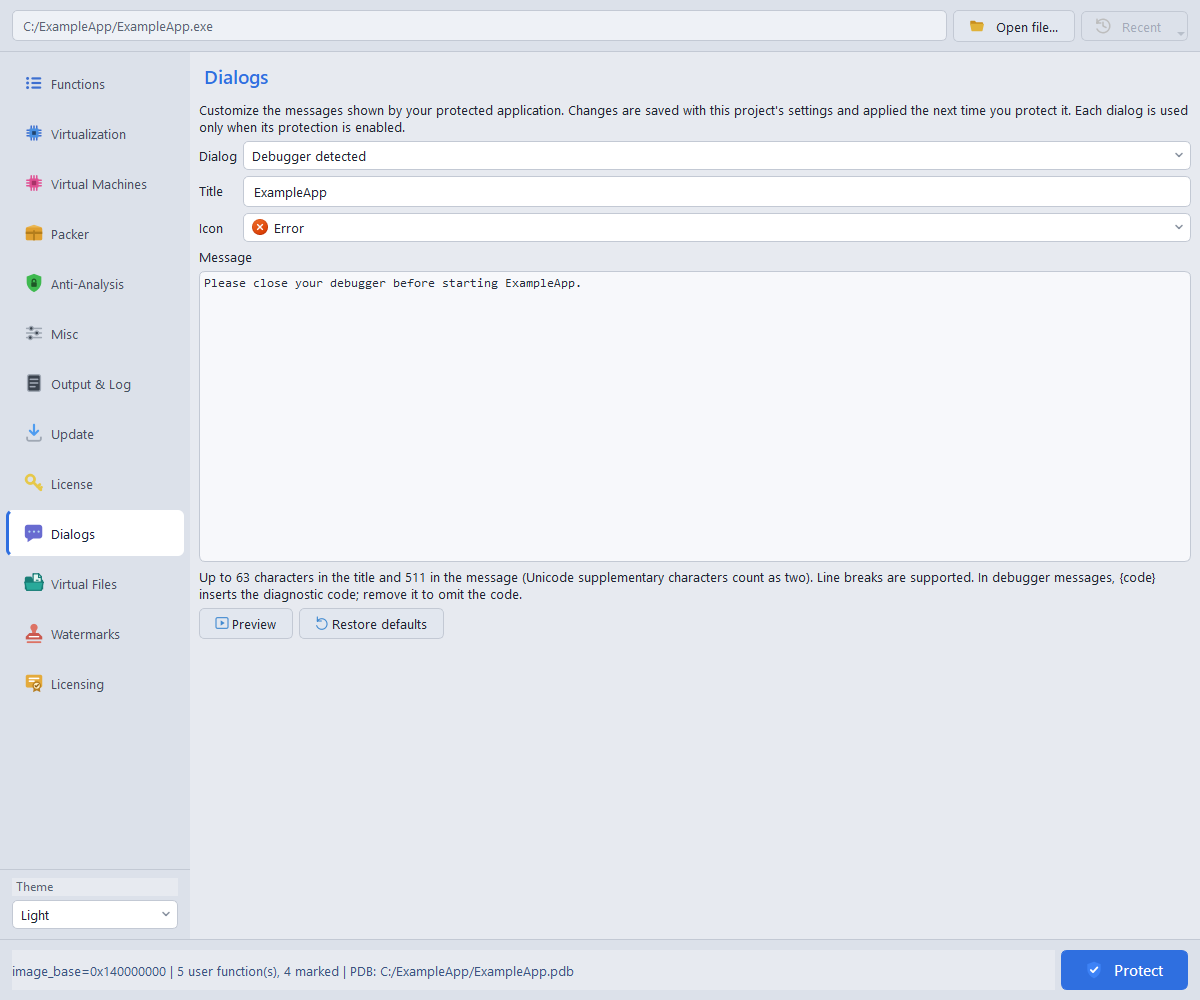
Basic, Pro and Ultimate, for the protections available in your edition. Use Dialogs to customize messages shown by the protected application, including detection failures, the T-Rex CPU requirement, and Ultimate trial or license errors.
Titles support up to 63 UTF-16 code units and messages up to 511. The debugger message can include one {code} placeholder. Custom text changes presentation; it does not change the protection decision. The mandatory Demo notice and Windows system dialogs are separate.
Basic, Pro and Ultimate. In Misc > Splash screen, enable the splash and choose a PNG, JPEG or BMP. The image is embedded in the protected output and is only needed again when rebuilding.
Choose click-to-close, a timed delay, or closing from code. For code-controlled closing, include dhae_splash.h, compile dhae_splash.c into your application, and call DhaedalidaCloseSplash() when startup is ready. Startup continues while the image is visible.
Images may be up to 4096 pixels per side and 4 megapixels in total. Transparency is flattened onto white. EXEs and DLLs support splash images on both bitnesses; a DLL using a splash remains loaded for the process lifetime.
Basic, Pro and Ultimate include an Update page for eligible licenses. Network access starts only when you press the check button. There is no automatic startup check or background polling, and the CLI remains offline.
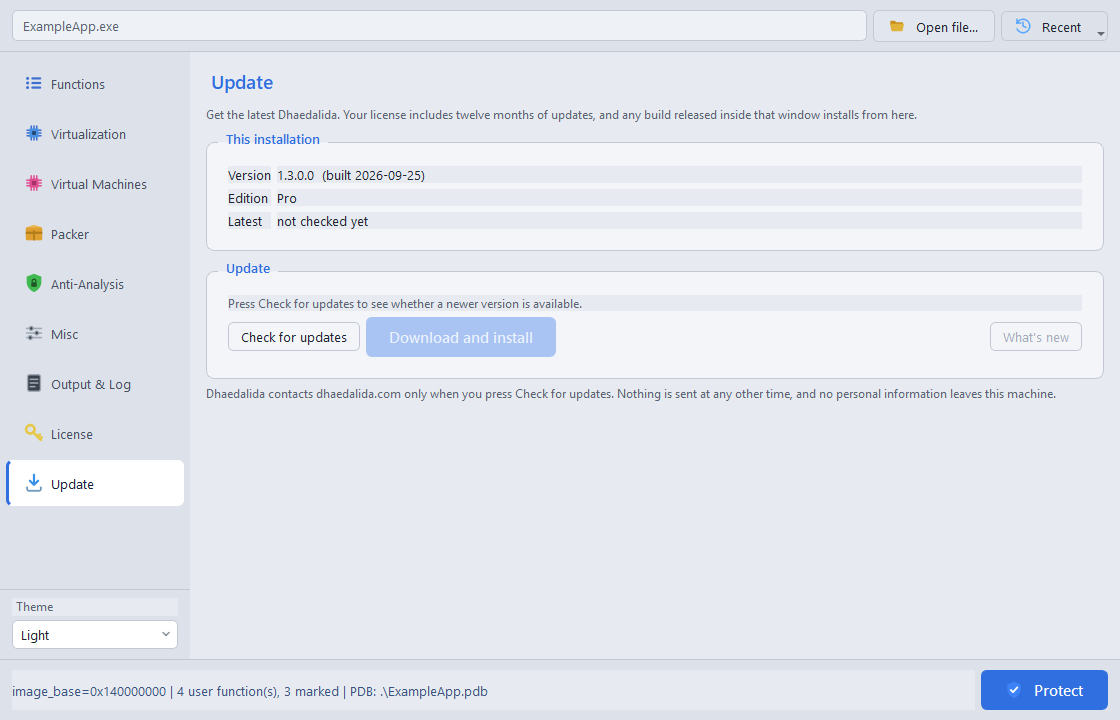
The check sends a SHA-256 hash of the licensed email address and your current version to determine update entitlement. It does not send the license file or a hardware identifier. An available, entitled update can be downloaded and verified through the GUI. Network failure and the end of the update period do not stop the purchased software from working. Demo has no updater.
| Capability | Demo | Basic | Pro | Ultimate |
|---|---|---|---|---|
| Rabbit | Basic virtualization | Yes | Yes | Yes |
| Bear, T-Rex and Wolf | No | Yes | Yes | Yes |
| String encryption and advanced VM options | No | Yes | Yes | Yes |
| Anti-Emulation | No | Yes | Yes | Yes |
| Debug stripping and C++ type-name protection | No | Yes | Yes | Yes |
| Packer and packer defense suite | No | No | Yes | Yes |
| Debugger and image-integrity SDK services | No | No | Yes | Yes |
| Manual updates | No | Eligible licenses | Eligible licenses | Eligible licenses |
| Startup Demo notice in protected output | Yes | No | No | No |
| License file required | No | Yes | Yes | Yes |
| Customer watermarks, custom dialogs and splash images | No | Yes | Yes | Yes |
| Virtual Files for packed EXEs | No | No | Yes | Yes |
| Application trials and customer licensing | No | No | No | Yes |
Demo is feature-limited, not time-limited. It does not evaluate Bear, T-Rex, Wolf or the premium layers. The GUI displays unavailable controls and reports effective mode routing; the CLI enforces edition restrictions. Ultimate includes all Pro features plus application trials and signed customer licensing. See pricing and license terms.
The executable is dhaedalida-cli.exe. Use the compiled edition's --help for the complete available surface. Addresses below are examples; use the preferred virtual addresses of functions in your own image.
dhaedalida-cli <pe-file> [--rabbit <VA>] [--bear <VA>] [--trex <VA>] [options]
| Option | Meaning |
|---|---|
--rabbit <VA>, --rabbit-file <path> | Select Rabbit functions directly or from an address-list file. |
--bear <VA>, --bear-file <path> | Select Bear functions (Basic/Pro/Ultimate). |
--trex <VA>, --trex-file <path> | Select T-Rex functions (Basic/Pro/Ultimate; AVX2 required at runtime). |
--wolf <VA>, --wolf-file <path> | Select Wolf functions (paid editions; SSE2). |
--watermark <hex> | Embed a customer pattern; repeat for additional patterns. |
--virtual-file <virtual-path> <source-file> | Bundle a read-only resource (Pro/Ultimate, Packer, EXE). |
--splash-image <file>, --splash-close click|seconds|code | Add a startup image; use --splash-seconds for timed closing. |
--out <path> | Output destination; defaults to <input>.protected.<ext>. |
--section-name <name> | VM section name, up to eight characters; default .dhae. |
--encrypt-strings | Encrypt eligible protected-reader literals. |
--anti-emulation | Add resistance to emulated analysis; default off. |
--complexity <0-100> | Applicable VM obfuscation intensity; default 50. Does not change T-Rex handlers. |
--strip, --strip-rtti | Strip debug metadata; pseudonymize eligible C++ RTTI names. |
--no-aslr | Disable ASLR opt-in; relocation and CFG consequences depend on image kind. |
--jobs <N>, -j <N> | Parallel generation; 0 selects a bounded automatic worker count using CPU, targets and memory headroom. |
--license | Print license status and exit. Keep the output private. |
Repeat selectors for multiple functions. A VA assigned to two modes is an error. Address files accept the documented address-list syntax. The removed --addr and --addr-file aliases are rejected; migrate older scripts to the named selectors.
--packer enables packing. Related flags are --protect-imports, --syscalls, --compress-boot, --hide-section-names, --encrypt-compress-resources, --preserve-cfg, --anti-debug, --anti-vm, --anti-monitor, --anti-tamper, --anti-sandbox, --anti-dump and --anti-hook. Their scopes match the packer section above.
# Different functions, different VMs
dhaedalida-cli app.exe --rabbit 0x140001000 --bear 0x140002000 --trex 0x140003000

# T-Rex with eligible strings and opt-in anti-emulation
dhaedalida-cli app.exe --trex-file trex-functions.txt --encrypt-strings --anti-emulation

# Pro: virtualize selected functions and pack the image
dhaedalida-cli app.exe --rabbit-file functions.txt --strip --packer ^
    --protect-imports --anti-debug --anti-tamper --compress-boot

# Pro: pack a DLL without selecting methods
dhaedalida-cli library.dll --packer --out library.protected.dll
Review the log for named refusals and the dhae-result: counts, including rabbit=, bear=, trex= and wolf=. SDK services are discovered in the input, including pack-only jobs. Test the output before distribution.