A complete protection pipeline
Every Dhaedalida build combines multiple, independently generated layers of defense. Here is what runs under the hood.
Your logic becomes a virtual machine that only exists in your build
Dhaedalida converts each selected function into a self-contained virtual machine embedded in a new section of the executable. The original instructions no longer exist in the file to be disassembled. An analyst finds a custom VM executing the logic indirectly, not readable code.
- Function-level protection: shield license checks, crypto and core IP while the rest of the app stays fast
- Executables and DLLs: a virtualized DLL derives its own base at load time, so exports, relocations and
DllMainkeep working - Entry point included: pass your entry point as a protection target and it runs under VM protection from the very first instruction
- No two builds alike: randomized layouts vary between builds
- Custom protection section name so the protected code blends into the app
- Preserve program behavior for supported functions; validate the protected build with your own tests
; generated VM - layout differs every build
vm_enter  ctx, 0x4A19
  handler_0x3F   ; push imm
  handler_0x08   ; xor rot
  handler_0xC1   ; branch pred
  handler_0x77   ; native bridge
vm_leave  ctx
Encrypt eligible strings used by protected functions
Sensitive text is often the easiest clue an attacker uses to locate protection. With
--encrypt-strings, the string literals used by protected functions are
stored encrypted at rest and decrypted only for a moment, inside the virtual machine,
at the instant they are used.
- Eligible encrypted literals no longer appear as plaintext in an on-disk strings scan
- Each string gets its own key: no single point to unravel
- Supports both ANSI and wide (UTF-16) text
- Strings shared with unprotected code are left intact, so nothing breaks
$ strings yourapp.protected.exe | grep -i license
(no matches)

; at runtime, inside the VM only:
vm_decrypt  str_0x2c, key_0x2c   ; one use
vm_wipe     str_0x2c             ; then gone
Layered hardening, out of the box
Every virtualized function is automatically strengthened with multiple layers of obfuscation that resist both static and dynamic analysis. These protections are on by default, with adjustable complexity.
- Protection for supported constants used by selected functions
- Anti-disassembly hardening that defeats linear-sweep disassemblers
- Per-build variation to make protected releases harder to compare
- Additional obfuscation to make automated analysis more difficult
- Non-linear control flow: logic scattered and chained so its structure is hard to reconstruct
- Anti-single-step protection that resists being walked one instruction at a time
; non-linear dispatch
state = 0x11
loop:
  switch (state)
    0x11 -> ... ; state = 0x9C
    0x9C -> ... ; state = 0x02
    0x02 -> ... ; state = 0xFF
  goto loop
Wrap the whole program in a self-unpacking, encrypted shell
Beyond per-function virtualization, --packer compresses and encrypts the
image content behind a self-unpacking loader. Windows-visible resources and metadata remain available where required; protected content is restored in memory at launch.
- Protects the whole program, not just the virtualized functions
- Smaller shipped file thanks to compression
- Defeats casual static inspection: an editor or disassembler shows only the protected shell
- Use it together with virtualization for defense in depth, or on its own (pack-only)
; yourapp.protected.exe
[ self-unpacking loader ]
[ compressed + encrypted image ]   ; protected image content

; at launch
loader -> decompress + decrypt in memory -> run
The protection protects itself
Dhaedalida protects its own unpacking loader with the same virtualization engine it applies to your code, adding another layer of analysis resistance to the loader.
- The loader is virtualized with the same per-build VM as your functions
; the loader itself is virtualized
vm_enter  loader_ctx
  unpack_image     ; in memory only
  verify_integrity
vm_leave  loader_ctx
; virtualized loader paths
Fits the way you already build and ship
Protect interactively in the Dhaedalida desktop app while you tune settings, then automate the exact same profile in your build pipeline with the command-line engine. Mark functions once in source with the marker SDK, detected with or without a PDB.
- Desktop app: open your EXE or DLL → review the function list → tick protections → Protect
- Marker SDK: choose Rabbit, Bear, T-Rex or Wolf marker pairs; bindings for C, C++, Rust, Go, Delphi and more, harmless no-ops in a normal build
- Marked functions detected with or without debug symbols (a PDB), even in a stripped release build
- Opt-in
--stripscrubs debug info from the shipped file (PE debug directory, embedded PDB path, symbol tables and debug sections) so no build paths or symbols leak - The CLI takes protection targets from a list file: hundreds of functions in one CI run
# protect step in CI
- run: dhaedalida-cli bin/app.exe \
     --out dist/app.protected.exe \
     --rabbit-file protect.list \
     --encrypt-strings --strip \
     --packer --anti-debug --anti-tamper --protect-imports
Rabbit, Bear, T-Rex and Wolf, selected per function
Choose the engine for each sensitive function in your native x86 or x64 EXE or DLL. Basic, Pro and Ultimate include all four. T-Rex requires AVX2; Wolf uses SSE2.
Anti-emulation without a packer requirement
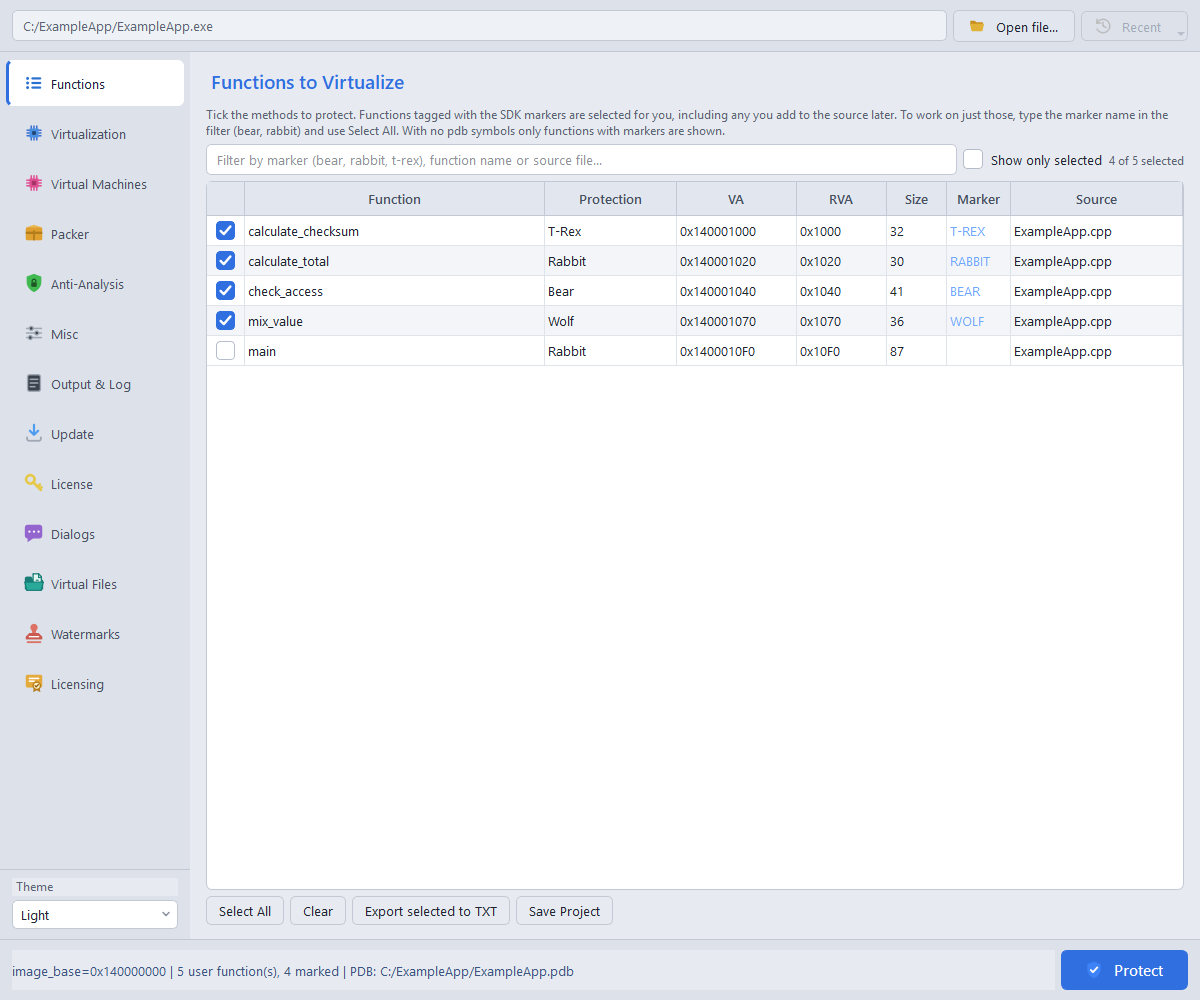
Enable Anti-Emulation in Basic, Pro or Ultimate to add resistance to tools that imitate program execution for analysis. Rabbit, Bear, T-Rex and Wolf support it on native x86 and x64. It is optional and distinct from Anti-VM host checks. Review the checkbox for your project.
This optional layer adds analysis resistance without promising to defeat every tool. Validate it with your own application and supported environments.
Inspect, save and automate your protection choices
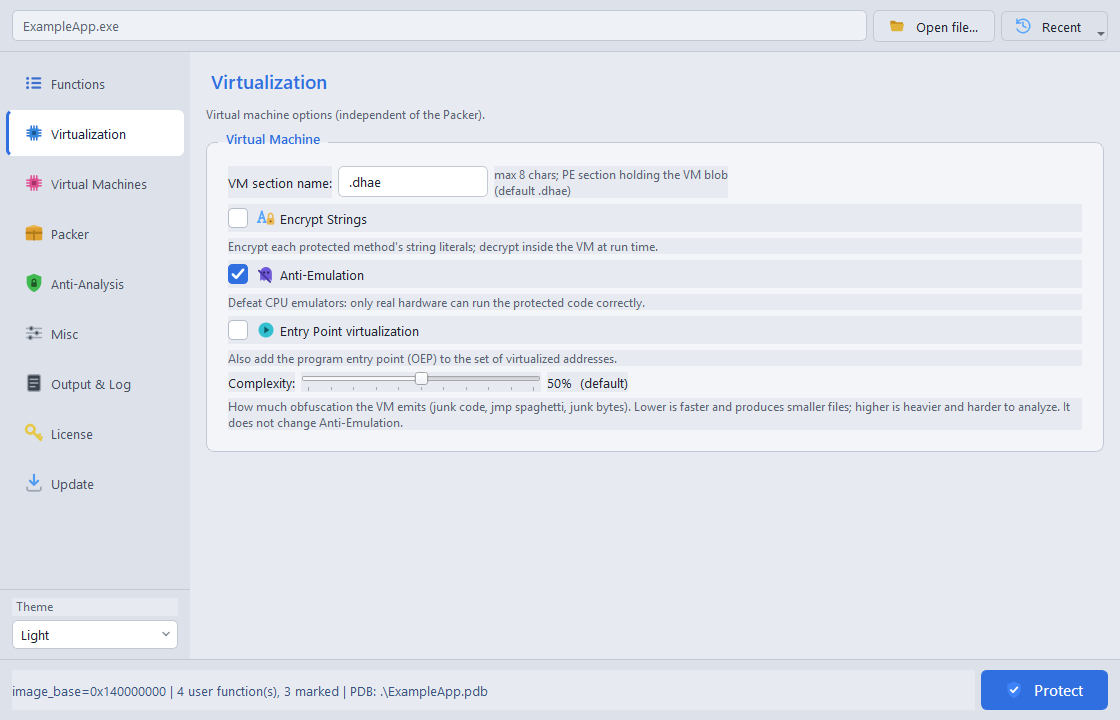
- Inspect the input function with the read-only Show Disassembly viewer.
- Save function selections and VM choices in a sibling .dae project, reopen through Recent, and copy or export selected rows.
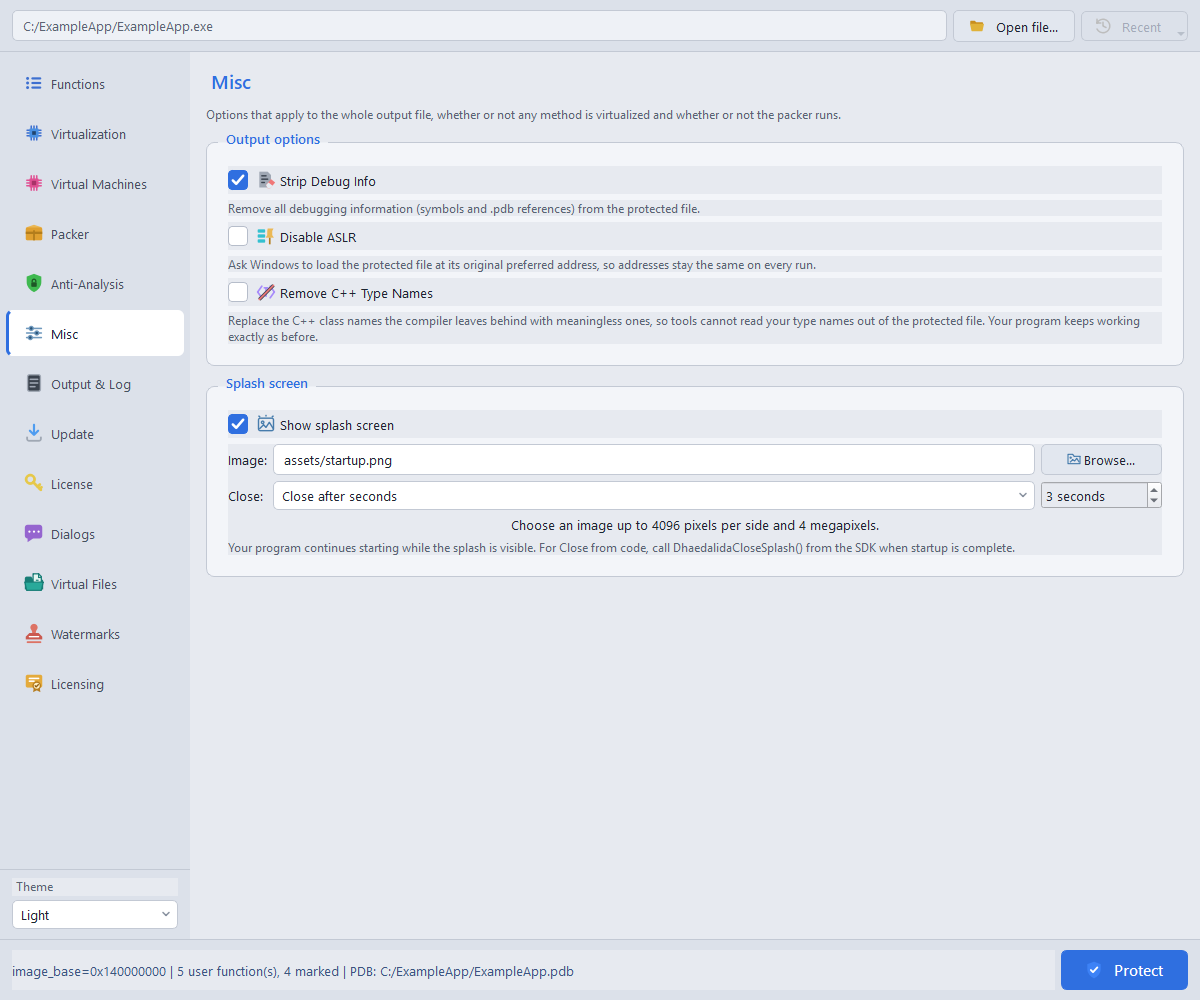
- Conceal eligible C++ type names and strip debug metadata for release builds.
- Use Pro's callable debugger and image-integrity SDK services to let your application respond to detection results.
- Check for updates manually in Basic, Pro and Ultimate, with no startup polling or online license gate.
Composable tamper-resistance layers
Each layer defends a specific avenue of attack. Compose exactly the profile you want: enable the packer with --packer and add layers as flags. The packer suite ships in the Pro edition.
| Protection | Flag | What it does | Default |
|---|---|---|---|
| Import protection | --protect-imports | Hides the app's Windows API references | Selectable |
| Debugger resistance | --anti-debug | Declines to run under a debugger | Selectable |
| Analysis-VM resistance | --anti-vm | Stops running inside a VM (VMware, Hyper-V, VirtualBox...) | Selectable |
| Monitoring resistance | --anti-monitor | Declines to run under system-monitoring tools | Selectable |
| Integrity / anti-tamper | --anti-tamper | Refuses to run if the file has been patched | Selectable |
| Containment-tool resistance | --anti-sandbox | Detects analysis sandboxes and declines to run | Selectable |
| Anti-dump | --anti-dump | Hinders memory reconstruction within its documented EXE/DLL scope | Off (advanced, opt-in) |
| Anti-hook | --anti-hook | Helps resist hooked system functions in packed EXEs; no startup effect for DLLs | Off (opt-in) |
| Direct system calls | --syscalls | Hardens the loader's own integrity against user-space tools | Selectable |
Additional packer controls include boot compression, resource encryption/compression, optional section-name hiding and CFG preservation. Available runtime defenses differ between EXEs and DLLs. See scopes and compatibility notes.
Product questions
Which platforms does Dhaedalida support?
.exe and .dll). A virtualized or packed DLL derives its own base at load time, so exports, relocations and DllMain keep working. The marker SDK ships bindings for C (MSVC and GCC/Clang), C++, Rust, Go, Delphi/Object Pascal, D, Zig, Nim and assembly. Any native x86/x64 language works; .NET and other managed code are out of scope.Does protection change how my application behaves?
Do I have to change my source code?
RabbitStart() / RabbitEnd(). Marked functions are detected with or without a PDB, and the markers are harmless no-ops in a normal build. Additionally, it's possible to protect a specific function using only its address with the CLI.Can I protect an app without virtualizing any function?
Is the protected output reproducible?
How should Dhaedalida be used?
My application is getting flagged by lots of antivirus products
Can I digitally sign my protected files?
Virtual Files
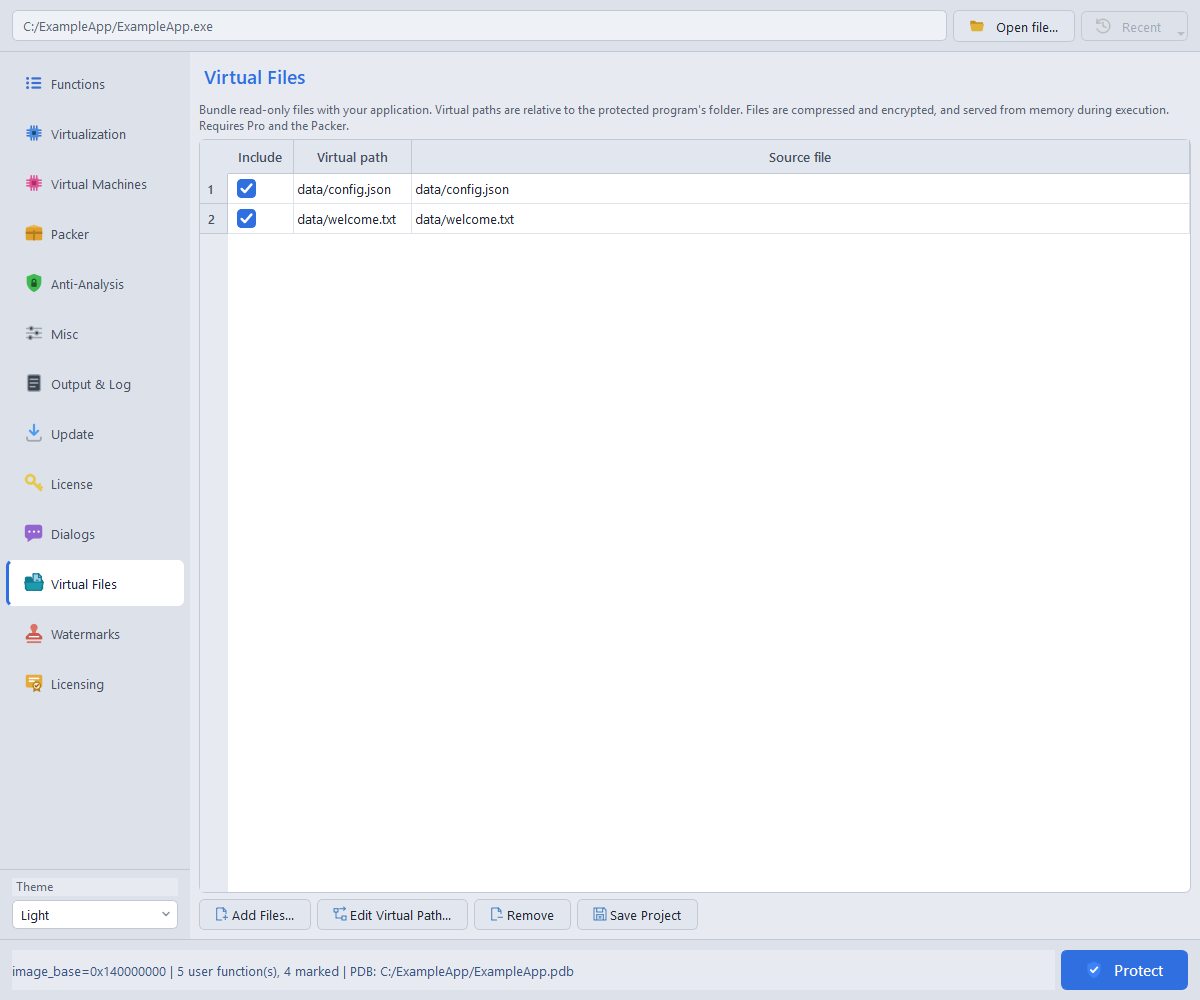
Pro and Ultimate, with the Packer. Bundle read-only data files and supported native DLLs inside your protected x86 or x64 EXE. Files and virtual paths are compressed and encrypted, then restored in memory without extraction to disk.
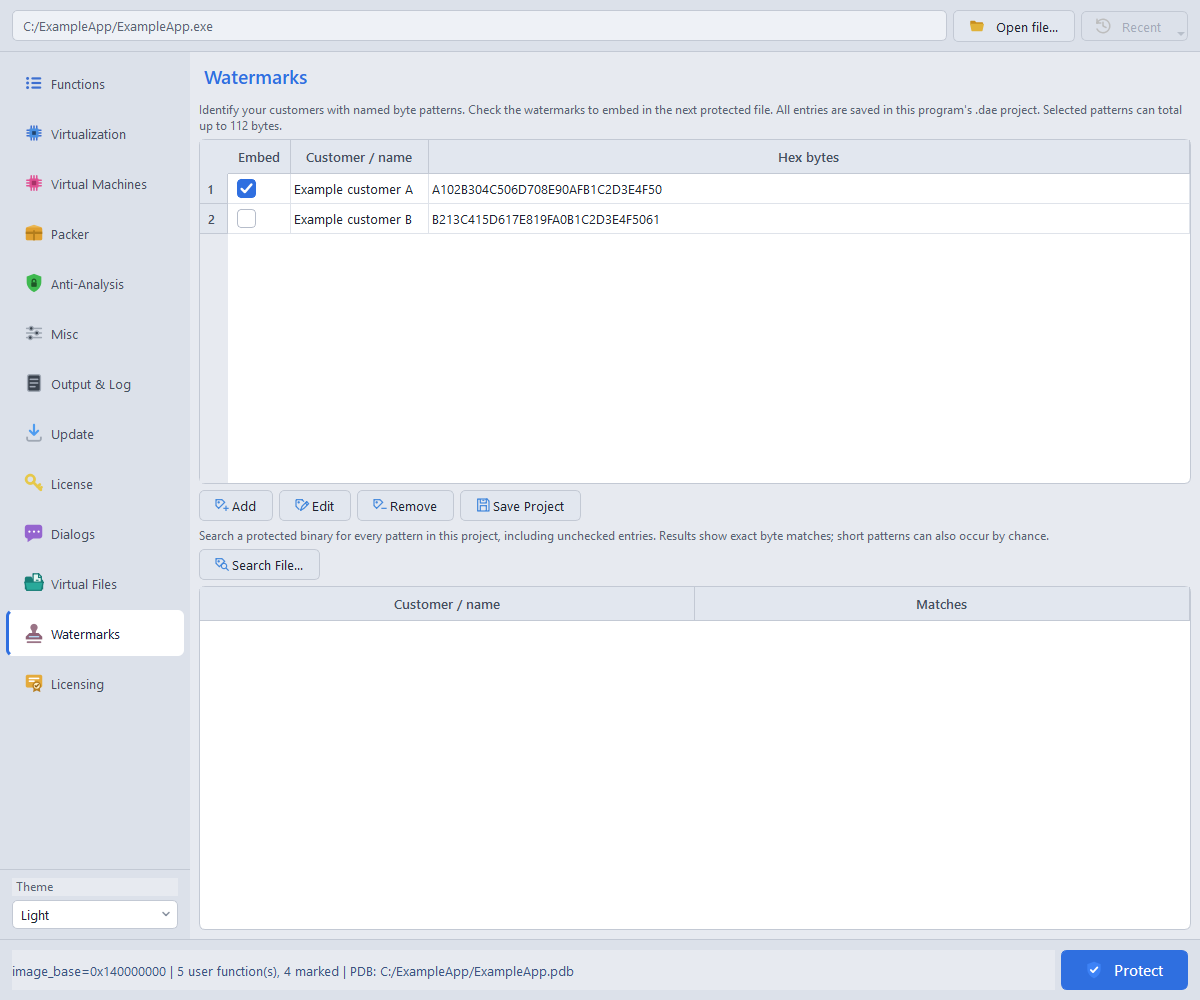
Customer watermarks
Basic, Pro and Ultimate. Give each recipient a named byte pattern and embed it in their protected build. The Watermarks page keeps your customer-pattern list in the saved project.
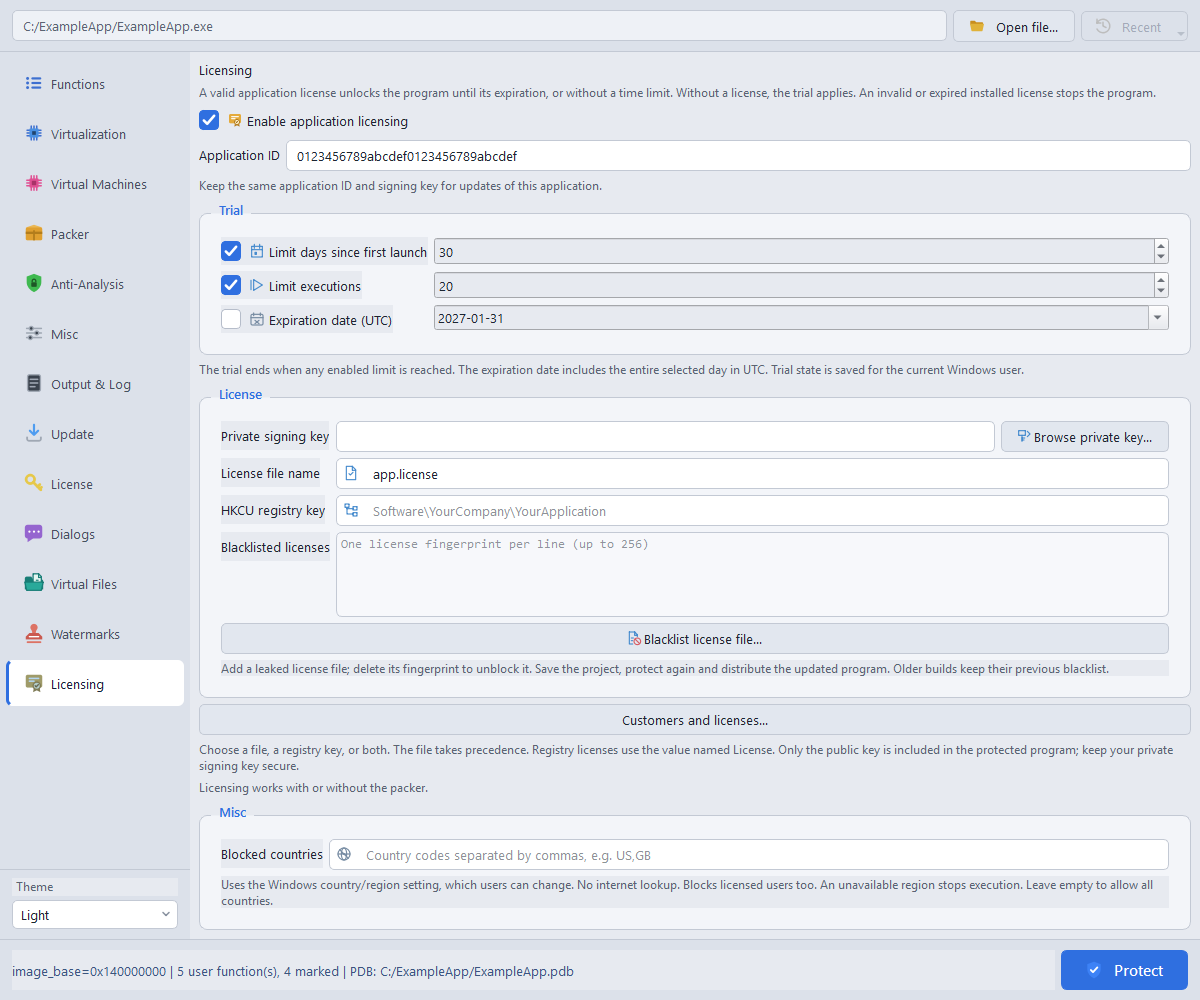
Ultimate application licensing
Ultimate only. Add offline trials and signed customer licenses to native x86 or x64 EXEs and DLLs. Application licensing does not require the Packer. These are licenses for your application, separate from your license to use Dhaedalida.
Configure a trial and activation
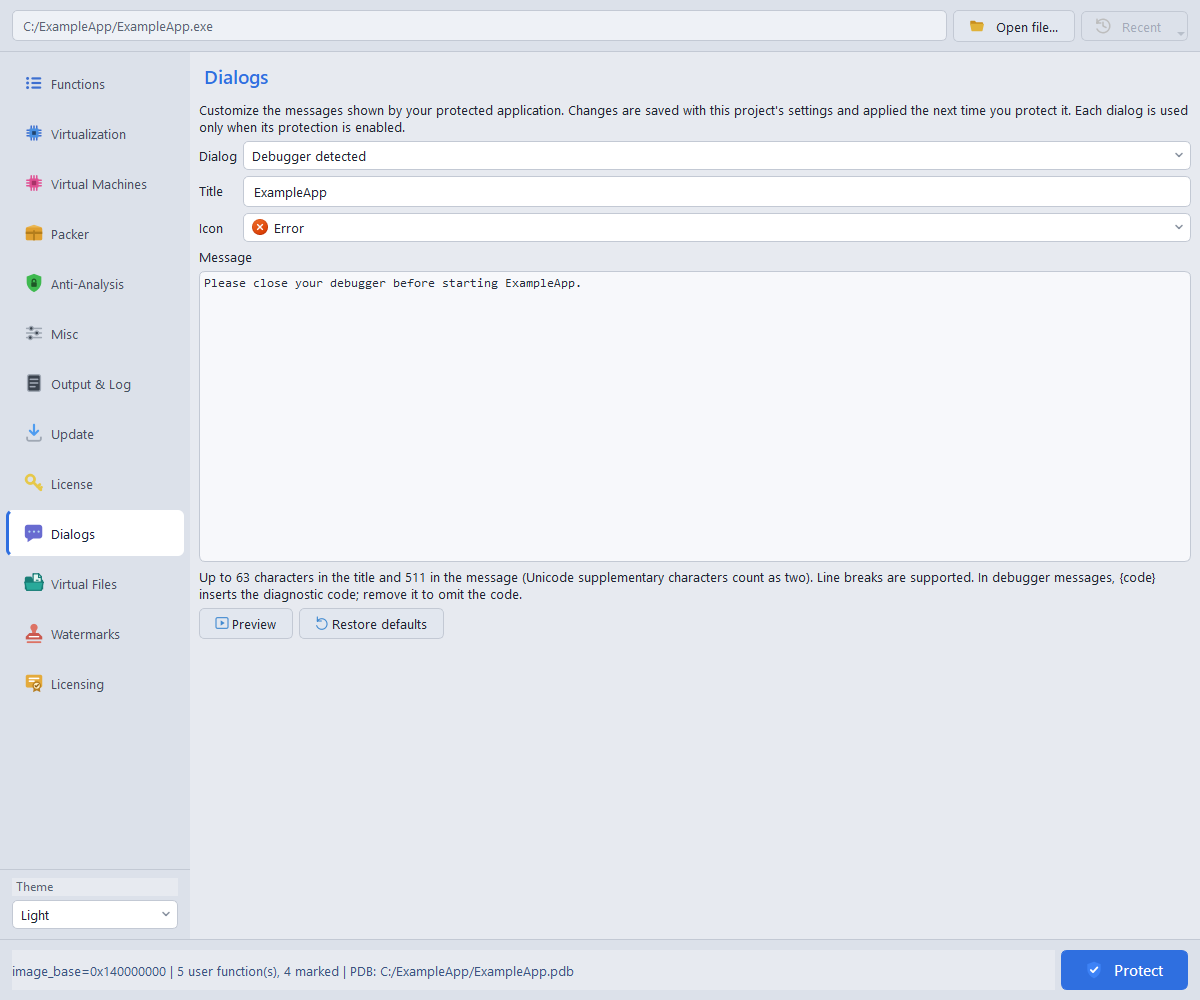
Custom application dialogs
Basic, Pro and Ultimate, for the protections available in your edition. Use Dialogs to customize messages shown by the protected application, including detection failures, the T-Rex CPU requirement, and Ultimate trial or license errors.
Custom startup splash
Basic, Pro and Ultimate. In Misc > Splash screen, enable the splash and choose a PNG, JPEG or BMP. The image is embedded in the protected output and is only needed again when rebuilding.
Choose click-to-close, a timed delay, or closing from code. For code-controlled closing, include dhae_splash.h, compile dhae_splash.c into your application, and call DhaedalidaCloseSplash() when startup is ready. Startup continues while the image is visible.
Images may be up to 4096 pixels per side and 4 megapixels in total. Transparency is flattened onto white. EXEs and DLLs support splash images on both bitnesses; a DLL using a splash remains loaded for the process lifetime.